


Weather & Widget - Weawow
Weawow
I usually decide whether to keep a weather app after using it during ordinary, slightly inconvenient moments: leaving home before sunrise, checking whether a jacket is enough, or trying to plan a walk around a stubborn shower. Weather & Widget - Weawow made a good impression because it puts the forecast in front of me without turning that simple task into an advertising exercise. It is a free weather app from Weawow, rated 4.9 by around 727 thousand people, with more than 5 million installs. Those figures suggest a very established product, but what matters more to me is how much control it gives the person looking at the forecast.
The app is designed for people who want weather information to feel personal rather than fixed. I can adjust the way information is presented, choose what matters most on the screen, and use it as a quick daily reference instead of opening a busy portal full of unrelated content. Its store summary highlights an ad-free experience and says that no data is collected, which gives the app an appealing trust context. I still prefer to examine any app’s visible choices for myself, but this starting point is reassuring for a tool that may be checked several times a day.
How Weawow Builds Trust Around a Simple Forecast
A weather app that stays focused
Many weather services try to become news feeds, shopping channels, or notification-heavy dashboards. Weawow takes a quieter route. Its main job is to help me understand current conditions and upcoming changes. That focus is valuable because weather information is time-sensitive: I do not want to hunt through several screens to answer whether I should carry an umbrella.
The interface also feels suited to different habits. Some people want a glanceable overview, while others want a detailed forecast before planning a commute, a hike, or outdoor work. The app’s customizable approach lets me shape the display around that difference. I found this more useful than a fixed layout that assumes every user cares about the same measurements in the same order.
There is a practical trust benefit in this simplicity. When a forecast screen contains fewer distractions, it is easier to notice the information that actually affects a decision. I can compare the upcoming hours, look at broader conditions, and decide whether the day is changing enough to require a backup plan. The app does not need to persuade me to tap through a maze before I can read the forecast.
Related News

Instagram Is No Longer a Photo App. It Is an Attention Engine

Microsoft Teams Mobile: When Collaboration Becomes Navigation

How the NFL App Adapts to Android and iOS Updates

Temu: Elevate Your Shopping Experience to Billionaire Status

Why Traffic Rider Works Best as a Precision Reflex Game

How Google’s Find Hub Transforms Everyday Searches
What the developer and app status tell me
Weawow is the developer behind the app, which has been available since May 2017. Its current version is 7.1.1, and it supports devices running Android 5.0 or later. That broad compatibility is helpful if I am using an older phone or keeping a secondary device for travel. It also means the app is not limited to people with the newest hardware.
The age rating is Everyone, so the product is positioned as a general-purpose weather tool rather than something aimed at a narrow audience. I would still judge the app by my own needs, especially if I require specialist forecasting for aviation, marine travel, emergency response, or professional meteorology. For everyday planning, though, its scope is much more approachable.
The app is free to install, while in-app purchases range from $2.00 to $50.00 per item. That is worth noticing before I start customizing or exploring optional extras. A free download is convenient, but I always check what is available without paying and whether an optional purchase changes the experience I actually need. The presence of purchases does not automatically make the app unsuitable; it simply means I would not assume every possible option is included at no cost.
Gallery
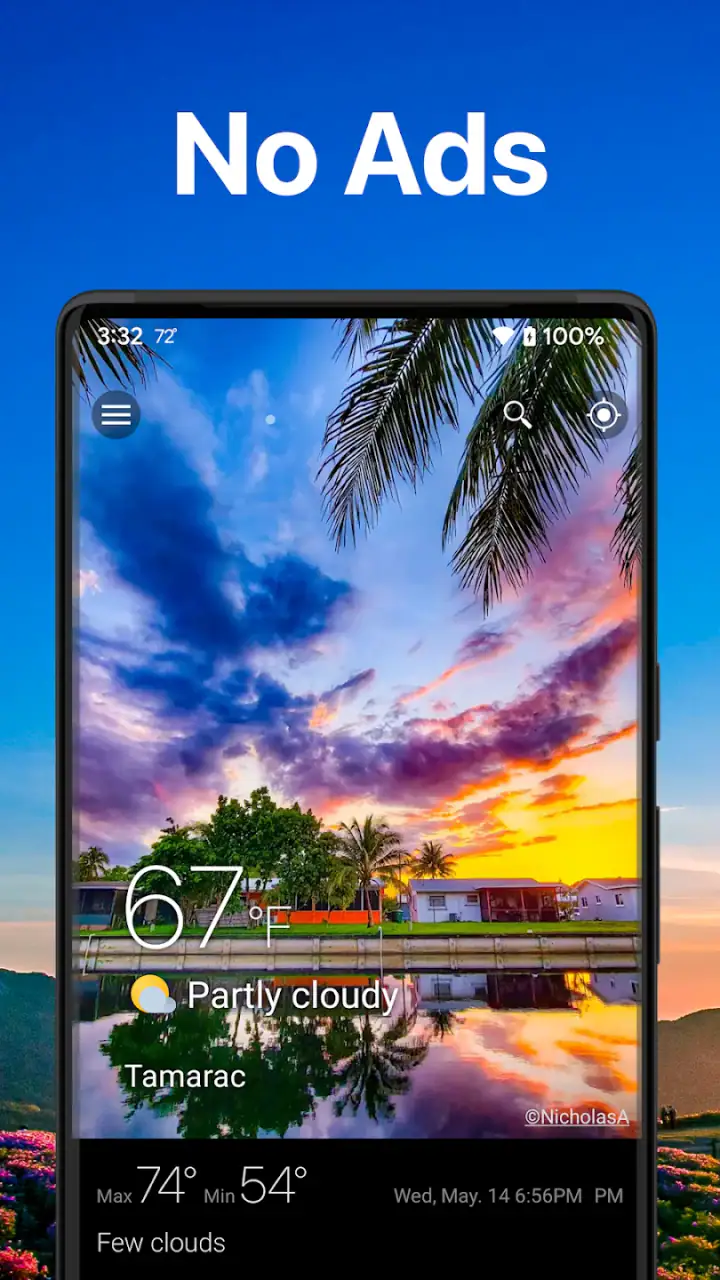
Controls that make a difference in daily use
The strongest part of Weawow is the ability to make the weather view fit a real routine. I might care most about temperature and rain before commuting, while someone else may prioritize wind or a longer outlook for gardening. Instead of accepting a one-size-fits-all screen, I can organize the information around the decisions I make most often.
A useful workflow is to create a quick morning check and a more careful evening check. In the morning, I look for immediate conditions and changes during the hours I will be outside. Later, I review what is expected the next day and decide whether I need to alter plans, prepare clothing, or charge equipment. The value here is not just seeing more information; it is reducing the number of taps between the forecast and an action.
I also like the idea of treating the app as a glance tool rather than a place to linger. Weather apps can become cluttered when every possible detail is placed on the first screen. Customization lets me keep the front view practical and reserve deeper information for the occasions when I need it. That is a small design choice, but it prevents the app from becoming tiring during repeated checks.
Data-sensitive moments deserve attention
Weather apps naturally need some way to show conditions for a location, so this is the kind of app where I pay attention to location-related choices and any visible permission prompts. I prefer granting access only when it serves a clear purpose and using a manually selected place when that is more comfortable for me. The important point is that I should read the wording shown on my device instead of treating convenience as a reason to approve everything automatically.
The store summary states that no data is collected. I see that as a meaningful part of the app’s appeal, especially compared with weather services that surround forecasts with personalized content and tracking concerns. I would still review the permission dialog and the app’s own settings after installation, because my comfort depends on the choices presented in the version I am using and on how those choices match my routine.
There are several moments when this matters more than usual. If I am traveling, I may want a destination forecast without constantly sharing my current position. If I use the app at work, I may prefer not to connect a personal location to a workplace routine. If a family member uses an older phone, I may want to keep the setup as simple as possible. Weawow is most appealing when it lets me make those decisions deliberately rather than hiding them behind a complicated onboarding process.
How I would set it up without giving away too much control
My first step would be to add only the places I genuinely check. I would avoid building a long list of locations just because the option is available, since a crowded location list makes the daily forecast less readable. A home location, a workplace, and a regular travel destination are usually enough for a useful routine.
Next, I would examine the main screen and remove anything I do not use. This is one of the app’s less obvious strengths: customization is not merely decorative. It can make the difference between a forecast that supports a decision and one that forces me to interpret a wall of numbers. I would place the most decision-relevant information first, then leave detailed views available for occasional checks.
I would also review notifications carefully. Weather alerts can be useful, but excessive prompts quickly turn a helpful app into background noise. I prefer notifications that correspond to a real need, such as a meaningful change before a planned outdoor activity, rather than every minor fluctuation. If the available controls let me narrow that experience, I would do so immediately instead of waiting until the app becomes annoying.
Finally, I would look at the purchase area without assuming I need it. The free version may already cover my basic routine, while an optional payment could make sense for someone who values additional customization or wants to support the developer. The right choice depends on what I use, not on the size of the purchase range shown in the store.
Where the app is especially useful
One realistic example is a school run or commute on a day when the forecast changes quickly. I can check the morning conditions, see whether rain is likely during the return trip, and decide whether to pack a compact umbrella rather than discover the problem halfway through the day. The app is useful here because the decision is small but repeated, and a clean view saves more time than a feature-packed service that makes me search for the answer.
It also suits people who plan outdoor activities but do not need specialist tools. Before a walk, I can compare the expected conditions with the time I intend to leave and return. For gardening, I can use the forecast to decide whether watering makes sense or whether a weather change could do the job. For travel, I can keep a destination available and check it alongside home conditions without installing a separate service for every place.
Another good use is shared household planning. One person may care about rain, another about temperature, and another about wind. A customizable display makes it easier to create a view that is understandable at a glance, rather than forcing everyone to interpret the same dense screen. I would not treat it as an emergency planning system, but it is a practical companion for ordinary decisions.
What may frustrate experienced weather users
Customization is helpful, but it can also create setup work. A person who wants to install an app and immediately accept a fixed, polished layout may find the number of choices less relaxing than expected. I would rather spend a few minutes arranging the display once, but not everyone enjoys that kind of adjustment.
The app’s broad purpose is another boundary. If I need highly specialized information for sailing, flying, severe-weather operations, or professional forecasting, I would compare it with a service built specifically for that field. A general weather app can be excellent for daily life without replacing a specialist tool. Choosing Weawow makes the most sense when flexibility and a calm everyday view matter more than an expert-only feature set.
There is also a trade-off between detail and speed. Adding more information may make the app feel powerful, but it can weaken the glanceable quality that makes it useful in the first place. My advice is to resist the temptation to display everything. The best configuration is not the one with the most panels; it is the one that answers my regular questions quickly.
People who strongly prefer a single ecosystem may also choose a built-in weather service instead. The default option on a phone is often quicker to access and requires less configuration. I would choose Weawow when I want more control over presentation and a more deliberate approach to the weather screen. If I only check the temperature once a day, the built-in tool may be enough.
Comparing it with the usual alternatives
Compared with a phone’s default weather widget, Weawow offers a more personal approach. A built-in widget usually wins on immediate convenience, but it may provide fewer ways to arrange information around my habits. Weawow is better for someone who wants the weather view to be an intentional tool rather than a small, unchangeable glance.
Compared with large weather portals, it feels less dependent on a busy content environment. Those alternatives may be preferable for people who want weather news, articles, video, or a broad media-style experience. I prefer Weawow when my goal is simply to understand conditions and move on with my day. The trade-off is that a quieter app may not satisfy someone who wants weather information packaged as a constantly updated entertainment feed.
Compared with privacy-conscious alternatives, the stated no-data-collection position is a major reason I would try it. Still, I would base my final decision on the permission choices and controls visible on my device. Trust is not just a slogan to me; it is the combination of clear choices, sensible defaults, and the ability to decide how the app fits into my routine.
My cautious verdict
Weawow is at its best when I want a customizable weather view without the usual feeling of being pulled into a larger content platform. Its high user rating, long availability, broad device support, and free entry point make it easy to consider, while the stated ad-free and no-data-collection approach gives it a welcome trust advantage. I especially value the way its customization can turn a general forecast into a practical morning and evening workflow.
I would recommend it to people who check weather regularly, care about visible user choices, and are willing to spend a little time arranging the experience. It is also a good fit for households, commuters, travelers, and casual outdoor planners who want more control than a default widget provides. I would be more cautious about recommending it to someone who needs specialist meteorological tools, dislikes configuring apps, or only wants the quickest possible temperature glance.
The most sensible way to approach it is to start small: choose the locations you actually use, keep the main view focused, inspect permissions, and leave optional purchases until you know what the free experience does for you. After that, the app becomes less about collecting weather details and more about making everyday decisions with less friction. That is why I would keep it installed: not because it tries to do everything, but because it lets me decide what weather information deserves my attention.
FAQs for Weather & Widget - Weawow
What features does Weawow offer for weather tracking?
Weawow provides detailed weather forecasts, including hourly, daily, and weekly updates. It features stunning weather-based photographs, customizable widgets, radar maps, and alerts for severe weather. The app is designed to offer accurate and up-to-date weather information, making it a reliable choice for planning your day.
Is Weawow free to use, and are there any in-app purchases?
Weawow is completely free to download and use, with no ads disrupting the user experience. While it offers extensive features at no cost, users can choose to support the app through voluntary donations via in-app purchases, which help maintain and improve the service.
How customizable are the widgets in Weawow?
The widgets in Weawow are highly customizable, allowing users to choose from various styles and layouts. You can adjust the size, color, and transparency to match your home screen aesthetics. The app also lets you select which weather data to display, such as temperature, precipitation, and wind speed.
Does Weawow support different languages and units of measurement?
Yes, Weawow supports multiple languages, making it accessible to a global audience. Users can also customize units of measurement for temperature, wind speed, and precipitation, choosing between metric and imperial systems, ensuring the app caters to personal preferences and regional standards.
What makes Weawow stand out from other weather apps?
Weawow distinguishes itself with its ad-free experience and emphasis on community-contributed weather photography. This unique feature enhances the visual appeal while keeping the app user-friendly. Additionally, its accuracy, detailed forecasts, and customizable options make it a standout choice for weather tracking.
Pros
- Highly accurate weather forecasts.
- Free without intrusive ads.
- Customizable widgets.
- Beautiful
- user-friendly interface.
- Detailed hourly and daily updates.
Cons
- Limited radar map features.
- Occasional update delays.
- Some features require data access.
- No offline mode available.
- Limited language support.


